In today’s digital world, solid-state drives (SSDs) have replaced traditional hard drives in most laptops, desktops, and even servers. They’re fast, silent, and reliable. But when data loss strikes, it doesn’t matter whether you’re using a modern NVMe SSD or an older SATA SSD—both can fail without warning.
NVMe vs SATA SSD data recovery is a topic many people don’t consider until their drive stops working. The recovery process for these two types of SSDs is very different, and understanding how they work helps in finding the right solution fast.
Whether it’s due to physical damage, firmware corruption, or accidental deletion, SSD data recovery is possible with the right tools and techniques. In this guide, we’ll explain how NVMe and SATA SSDs differ, why NVMe recovery is more complex, and how you can safely recover your files without causing further damage.
What Is an NVMe SSD?
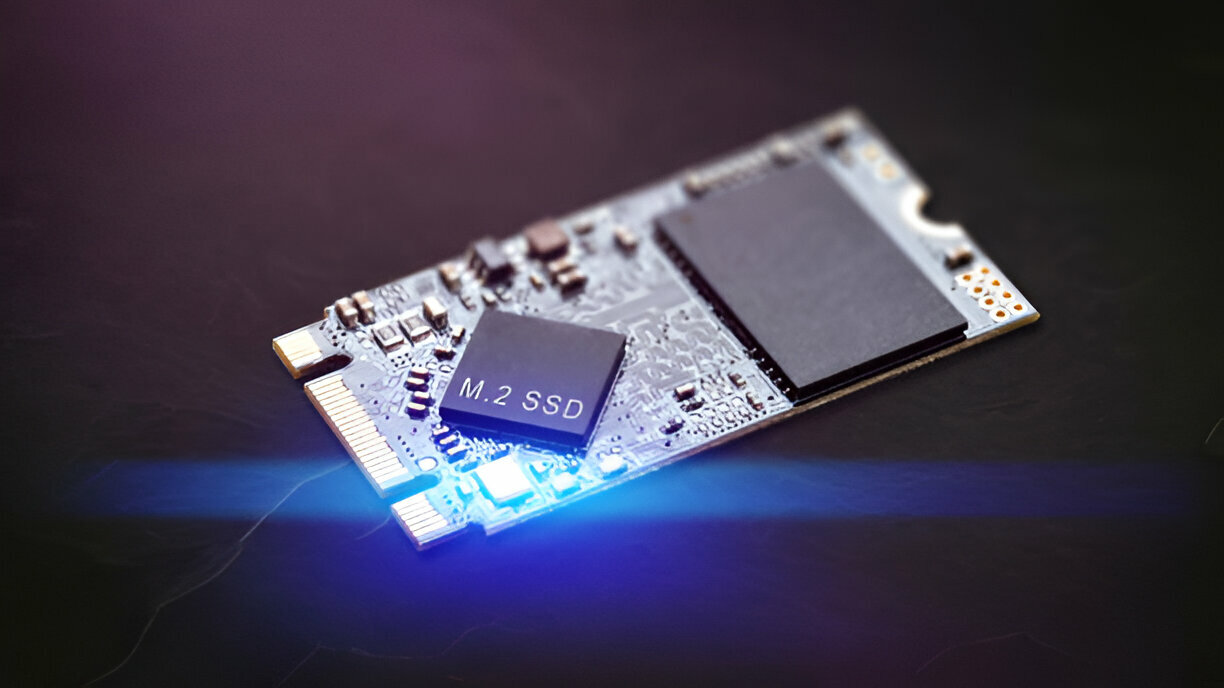
NVMe (Non-Volatile Memory Express) is a newer, high-speed storage interface that connects directly to the motherboard using PCIe lanes. These drives are used in gaming systems, business workstations, and modern laptops where performance matters.
Key NVMe Traits:
-
Uses M.2 or U.2 ports
-
Delivers very fast read/write speeds
-
Common in high-end or modern devices
What Is a SATA SSD?
SATA (Serial ATA) SSDs are older and more common in traditional systems. While slower than NVMe, they’re still much faster than hard drives and widely supported.
Key SATA Traits:
-
Connects via standard SATA cable
-
Compatible with most systems
-
More budget-friendly
Learn more about our SSD Data Recovery Services.
NVMe vs SATA SSD – The Key Differences
1. Speed:
NVMe SSDs are 5–7x faster than SATA SSDs. Ideal for booting, gaming, or editing large files.
2. Physical Connection:
NVMe uses PCIe lanes, while SATA uses a cable and port. This affects speed and complexity.
3. Price:
NVMe drives are more expensive. SATA is cheaper and often enough for general users.
Data Recovery Process for NVMe SSDs
Recovering data from NVMe SSDs is often more difficult due to their complex design.
Why It’s Harder:
-
Direct link to CPU
-
Not all recovery tools support NVMe
How It’s Done:
-
May require chip-off recovery
-
Use of advanced tools like PC-3000
Check out our Laptop and PC Data Recovery Brisbane for full support.
Data Recovery Process for SATA SSDs
SATA recovery is often simpler.
Why It’s Easier:
-
More tools support SATA drives
-
Easier physical access via cable
Steps Involved:
-
Software recovery for logical issues
-
Imaging or chip-level for hardware failure
Why NVMe SSD Recovery Is More Complex
If your NVMe SSD fails, standard tools often won’t work. You need:
-
Specialized hardware
-
Experience handling modern controllers
-
A clean lab if chip-off is needed
Common Reasons NVMe SSDs Fail
-
Sudden power loss
-
Controller or firmware corruption
-
Overheating
-
Manufacturing defects
Common Reasons SATA SSDs Fail
-
File system errors
-
OS crashes
-
Bad sectors
-
Long-term wear and tear
Tools Used in SSD Data Recovery
For NVMe Drives:
-
PC-3000 Portable III
-
Flash reader tools for chip access
For SATA Drives:
-
R-Studio, EaseUS, Disk Drill
-
Physical imaging devices
We also provide Mobile Data Recovery in Brisbane for phones and tablets.
Can You Recover a Dead NVMe SSD?
It’s possible but risky if you’re not trained. A failed NVMe often needs:
-
Direct NAND read
-
Firmware reconstruction
Avoid DIY unless it’s a software issue only. For lost documents, check our Deleted File Recovery Services.
NVMe vs SATA SSD: Recovery Success Rates
NVMe:
-
Low DIY recovery chance
-
Higher failure risk if controller is damaged
SATA:
-
Easier to recover
-
More supported by software and labs
Cost of NVMe vs SATA SSD Recovery
NVMe Recovery Costs:
-
Typically $660 – $1500+
-
Depends on damage and recovery type
SATA Recovery Costs:
-
Usually $330 – $990
-
Faster turnaround
Which SSD Type Lasts Longer?
NVMe Reliability:
-
Fast but prone to thermal stress
-
Sometimes sensitive to firmware issues
SATA Reliability:
-
Slower but stable
-
Fewer unknown issues in long-term use
Which One to Choose?
Choose NVMe if you need speed and high performance. Go for SATA if you care about cost, compatibility, and easier recovery.
If you’re dealing with business storage or RAID systems, check out our RAID and NAS Data Recovery in Brisbane.
Need Expert SSD Recovery in Brisbane?
At 555 Data Recovery Co., we recover both NVMe and SATA SSDs. Whether it’s deleted files or a completely dead drive, we’ve got the tools and skills to help. Get in touch today for a free consultation.