Case Overview: Dropped External Hard Drive with Bad Sectors
This week, one of the more challenging cases involved a 6TB 3.5-inch Western Digital hard drive (model WD60EZRX-11MVLB1). The drive came from a portable enclosure that had been dropped, causing significant physical damage.
Symptoms: Bad Sectors and Extended Imaging Time
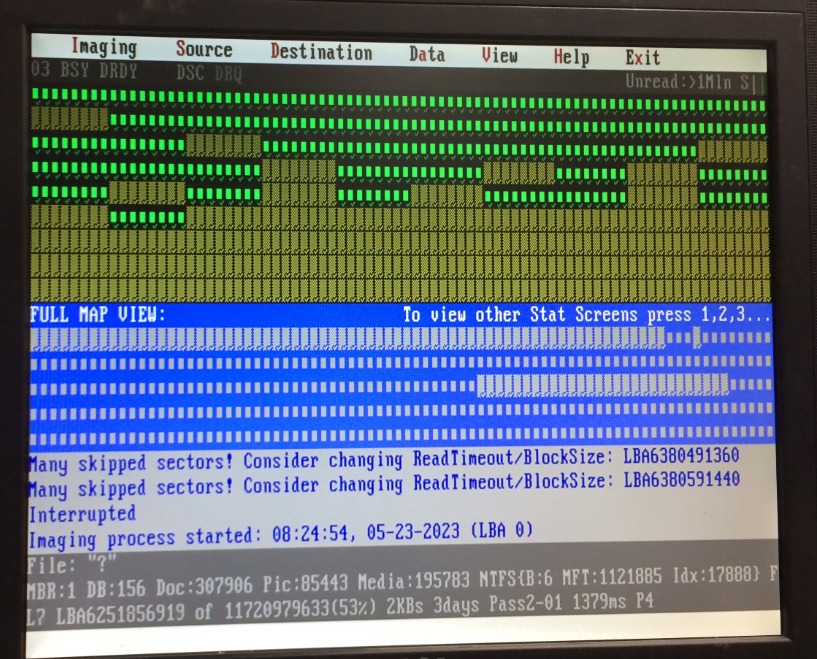
Following the impact, the drive began showing a high number of bad sectors, making the recovery process complex. Imaging such a large and damaged drive can take time—up to two weeks, depending on the severity.
Recovery Outlook: Hopeful Despite Challenges
Our experienced engineers have assessed the drive and believe there’s a strong chance of full data recovery. While it’s a time-consuming case, we’re hopeful for a successful outcome.
Fingers crossed for another happy client!
What Happens When You Drop a Hard Drive?
Dropping a portable hard drive can cause:
-
Internal head damage
-
Bad sectors
-
PCB failure
-
Complete unreadability
In such cases, powering on the drive repeatedly can worsen the damage. Turn it off immediately and consult a data recovery expert.
Recovering Data from Drives with Bad Sectors
When drives have bad sectors, specialized tools are used to clone as much readable data as possible, skipping damaged areas until a full or partial image can be created. This process takes time, especially with large-capacity drives like this 6TB Western Digital model.